head( cars ) speed dist
1 4 2
2 4 10
3 7 4
4 7 22
5 8 16
6 9 10There are lot’s of ways to make plots in R. These include so-called “base R” (like the plot()) and add on packages like ggplot2.
Let’s make the same plot with these two graphics systems. We can use the inbuilt cars dataset:
head( cars ) speed dist
1 4 2
2 4 10
3 7 4
4 7 22
5 8 16
6 9 10With “base R” we can simply:
plot(cars)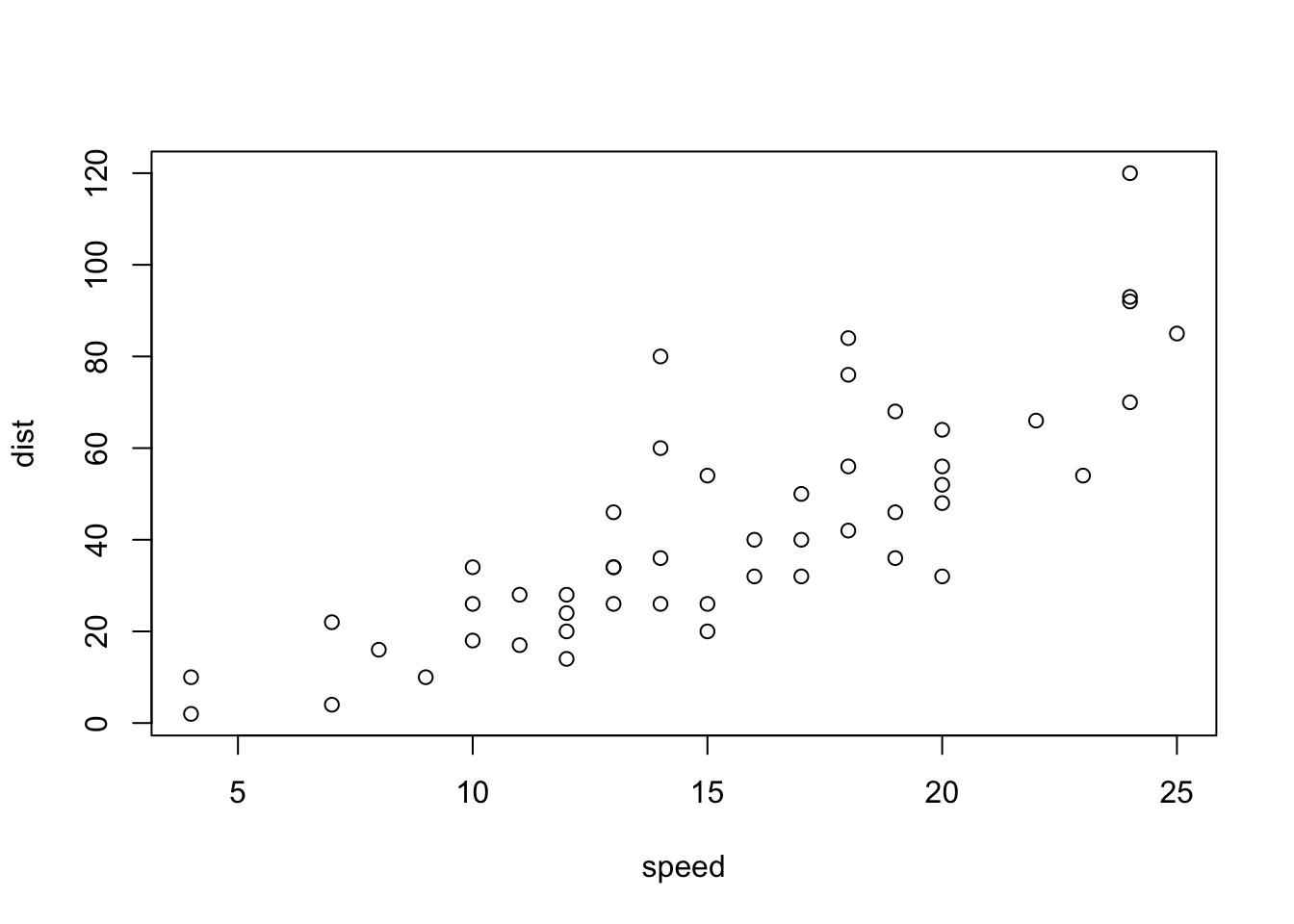
Now let’s try ggplot. First I need to install the package using install.packages("ggplot2")
N.B. We never run an
install.packages()in a code chunk otherwise we will re-install needlessly every time we render our document.
Every time we want to use an add-on package we need to load it up with a call to library()
library(ggplot2)
ggplot(cars)
Every ggplot needs at least 3 things:
ggplot(cars) +
  aes(x=speed, y = dist) +
  geom_point() +
  geom_line()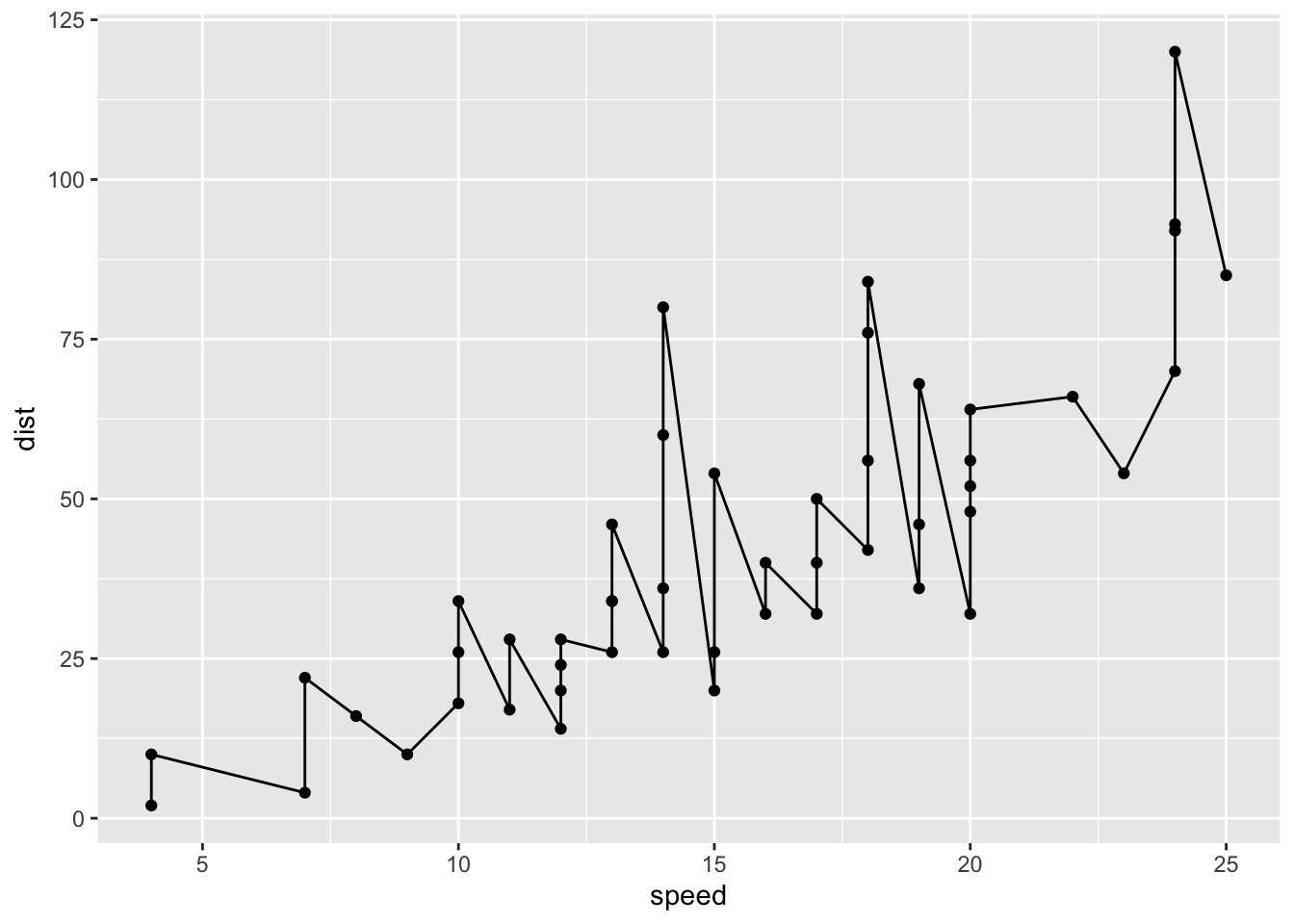
ggplot(cars) +
  aes(x = speed, y = dist) +
  geom_point() +
  geom_smooth(method = "lm", se = FALSE) +
  labs(
    x = "Speed (MPH)",
    y = "Distance (ft)",
    title = "Stopping Distance of old Cars"
  ) +
  theme_bw()
`geom_smooth()` using formula = 'y ~ x'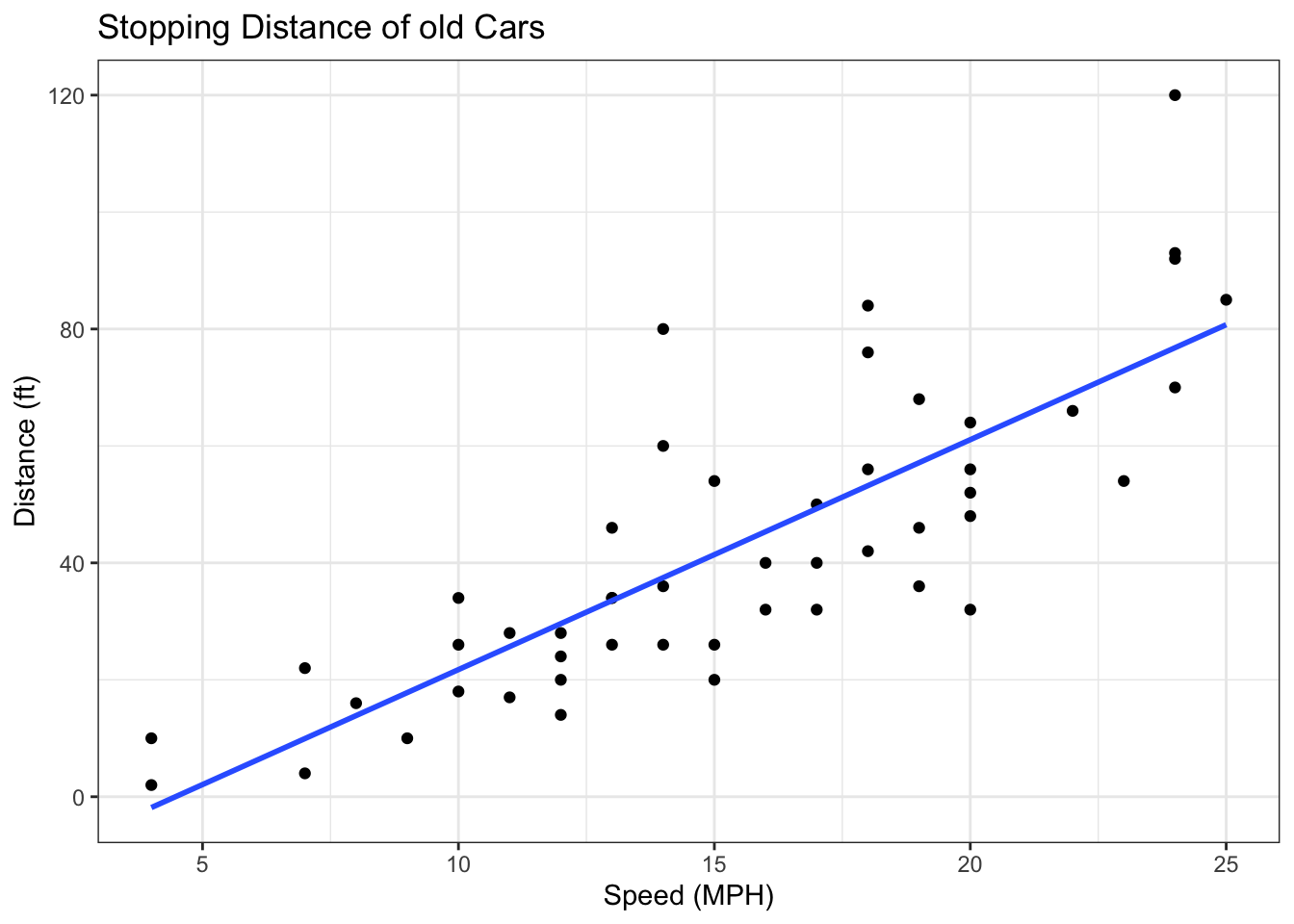
Read some data on the effects of GLP-1 inhibitor (drug) on gene expression values:
url <- "https://bioboot.github.io/bimm143_S20/class-material/up_down_expression.txt"
genes <- read.delim(url)
head(genes)
Gene Condition1 Condition2 State
1 A4GNT -3.6808610 -3.4401355 unchanging
2 AAAS 4.5479580 4.3864126 unchanging
3 AASDH 3.7190695 3.4787276 unchanging
4 AATF 5.0784720 5.0151916 unchanging
5 AATK 0.4711421 0.5598642 unchanging
6 AB015752.4 -3.6808610 -3.5921390 unchangingVersion 1 plot - start simple by getting soem ink the page.
p <- ggplot(genes) +
  aes(x = Condition1, y = Condition2, col = State) +
  geom_point(col = "blue", alpha = 0.2)
Let’s color by State up, down, or no change.
p <- ggplot(genes) +
  aes(x = Condition1, y = Condition2, col = State) +
  geom_point()
p + scale_colour_manual(values = c("blue","gray","red")) +
  labs(title = "Gene Expression Changes Upon Drug Treatment",
       x = "Control (no drug)",
       y = "Drug Treatment")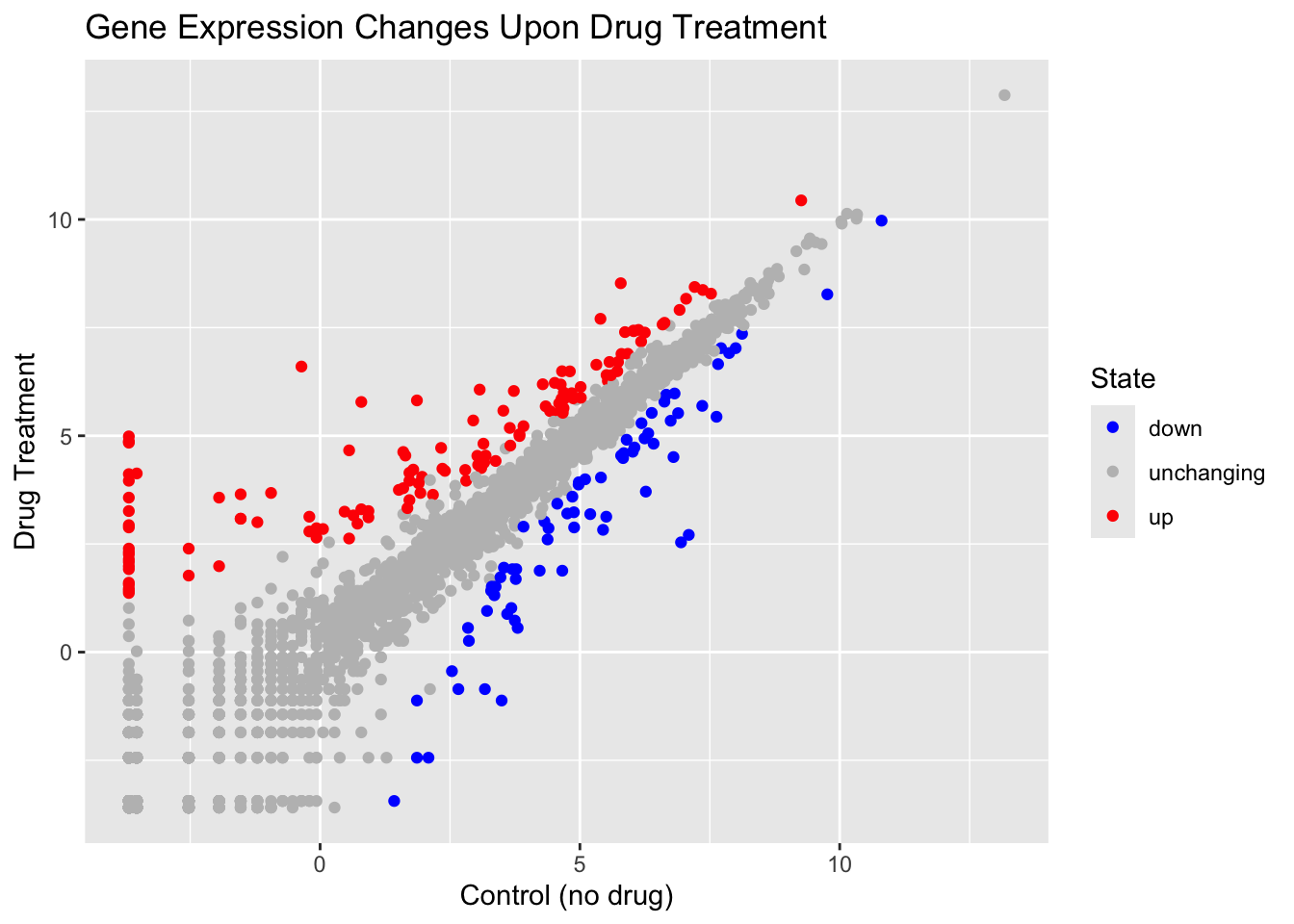
Here we explore the famous gapminder dataset with some custom plots.
# File location online
url <- "https://raw.githubusercontent.com/jennybc/gapminder/master/inst/extdata/gapminder.tsv"
library(gapminder)
gapminder <- read.delim(url)
head(gapminder)
country continent year lifeExp pop gdpPercap
1 Afghanistan Asia 1952 28.801 8425333 779.4453
2 Afghanistan Asia 1957 30.332 9240934 820.8530
3 Afghanistan Asia 1962 31.997 10267083 853.1007
4 Afghanistan Asia 1967 34.020 11537966 836.1971
5 Afghanistan Asia 1972 36.088 13079460 739.9811
6 Afghanistan Asia 1977 38.438 14880372 786.1134Q. How many rows does this dataset have?
nrow(gapminder)[1] 1704How many different continents are in this dataset?
table(gapminder$continent)
  Africa Americas     Asia   Europe  Oceania
     624      300      396      360       24
Version 1 plot gdpPercap vs LifeExp
ggplot(gapminder) +
  aes(gdpPercap, lifeExp, col=continent) +
  geom_point()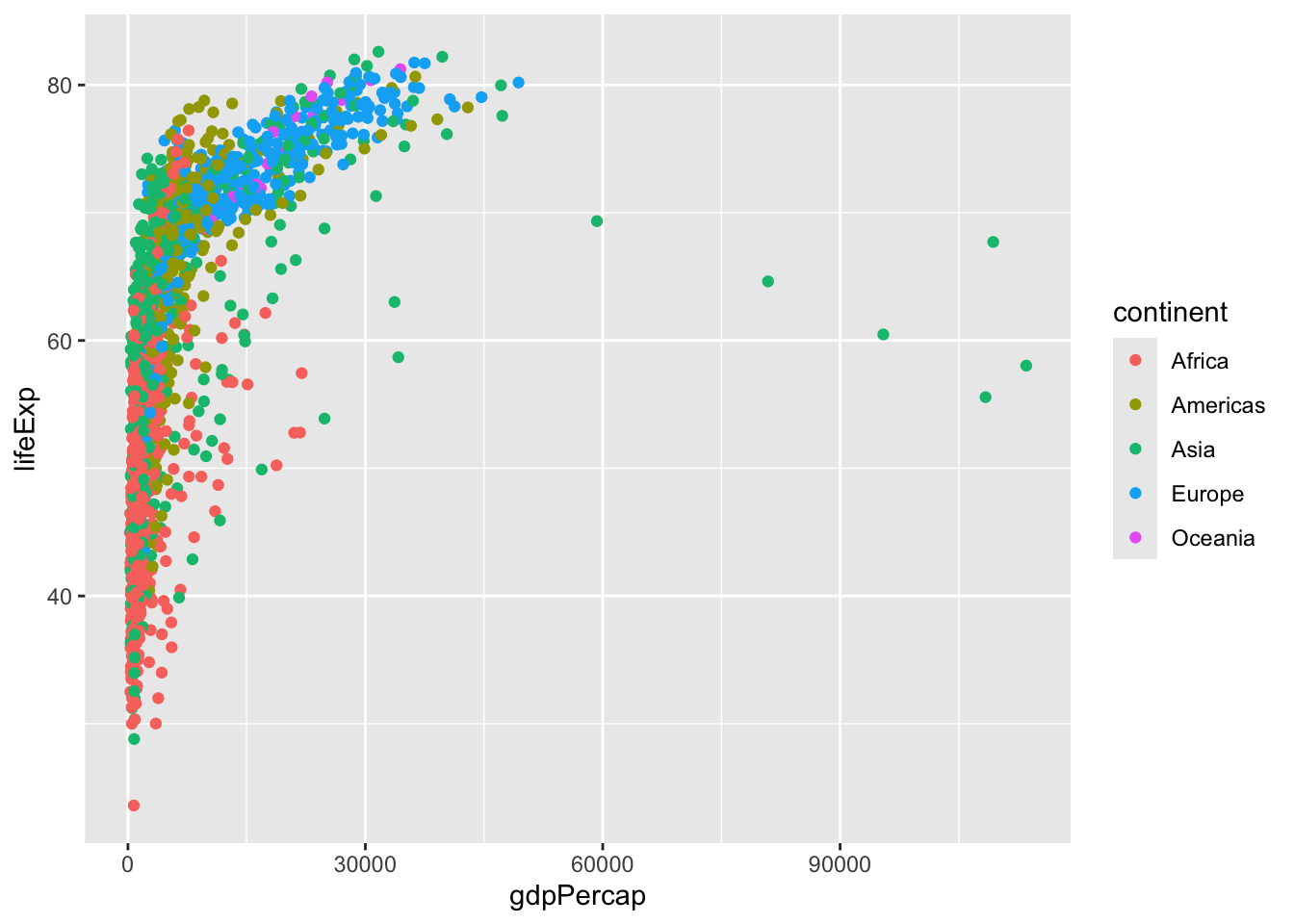
I want to see a plot for each continent - in ggplot lingo this is called “faceting”
ggplot(gapminder) +
  aes(gdpPercap, lifeExp, col=continent) +
  geom_point() +
  facet_wrap(~continent)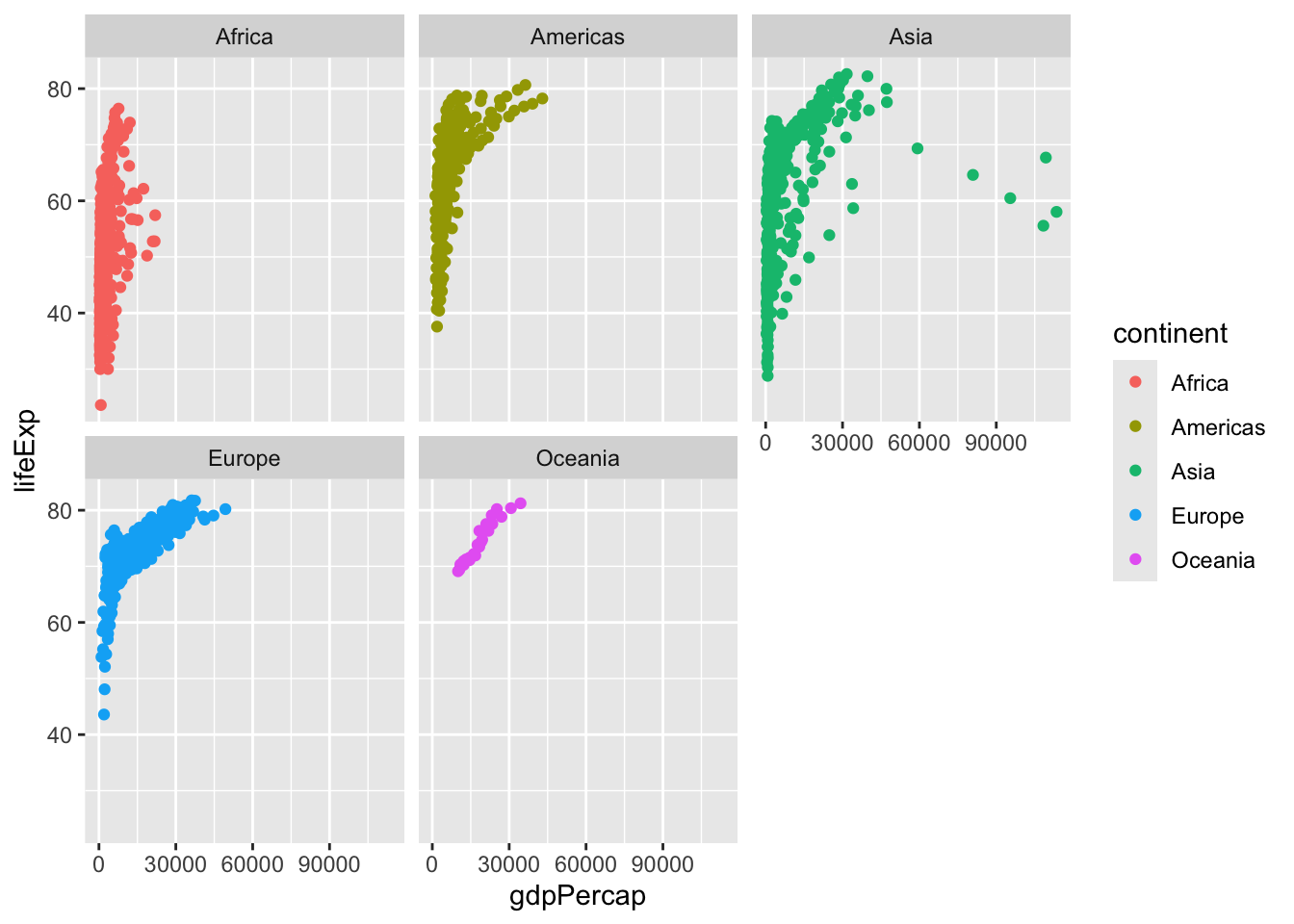
Another add-on package with a function called filter() that we want to use.
library(dplyr)
Attaching package: 'dplyr'The following objects are masked from 'package:stats':
filter, lagThe following objects are masked from 'package:base':
intersect, setdiff, setequal, unionfilter(gapminder, year==2007, country =="United States") country continent year lifeExp pop gdpPercap
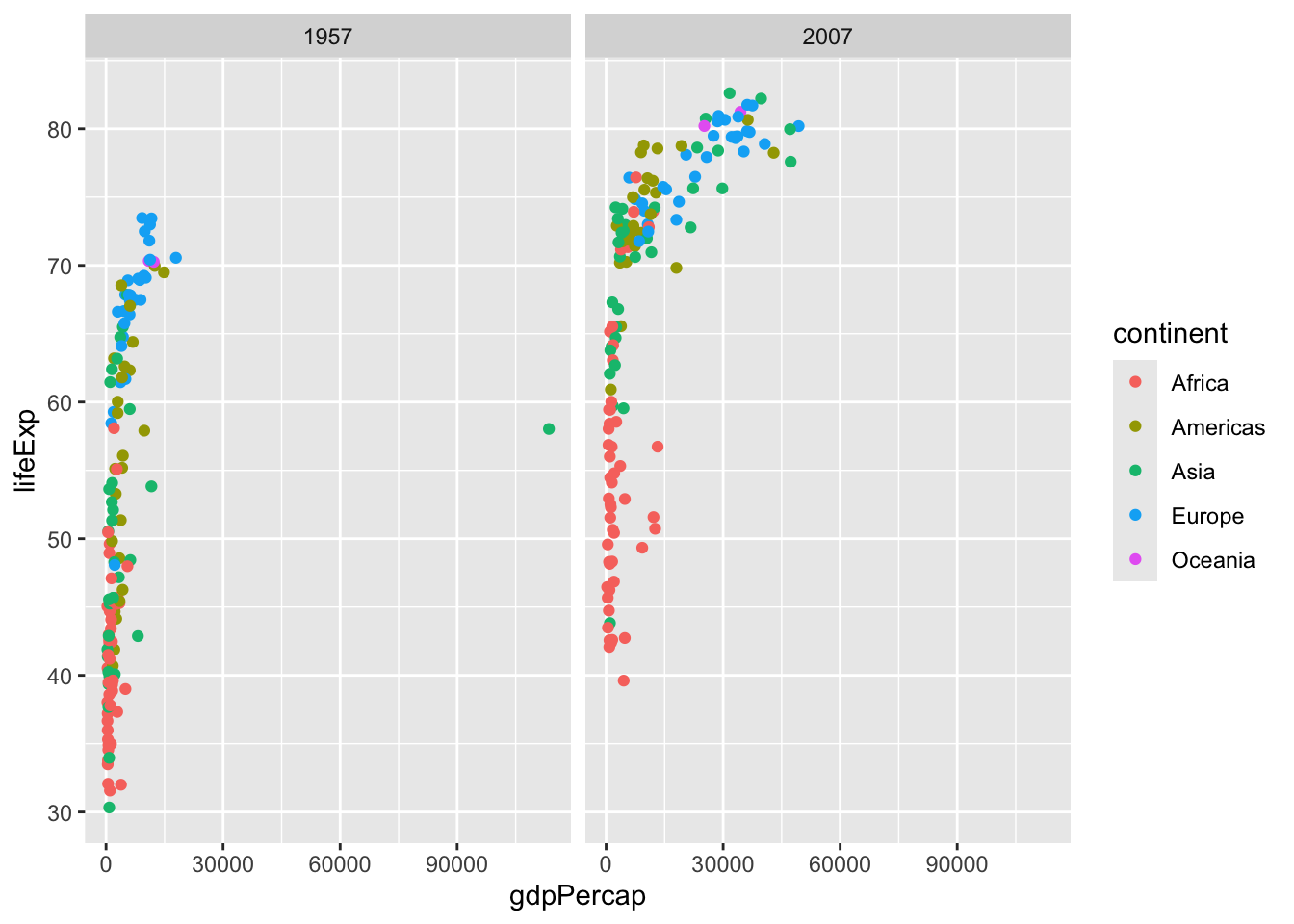
1 United States Americas 2007 78.242 301139947 42951.65input <- filter(gapminder, year== 2007 | year == 1977)gapminder_1957 <- gapminder %>% filter(year==1957 | year==2007)
ggplot(gapminder_1957) +
aes(gdpPercap, lifeExp, col=continent,) +
geom_point() +
scale_size_area(max_size = 10) +
facet_wrap(~year)